
1. How Browser Fingerprinting Works
Every time you visit a site, your browser shares dozens of data points that can be combined into a unique “fingerprint.”
These include:
- User-Agent (browser and OS version)
- HTTP headers (language, encoding, charset)
- Installed plugins or extensions
- Screen resolution and color depth
- Fonts and font rendering
- Time zone and system clock
- Hardware data (CPU, GPU)
- Canvas and WebGL fingerprints
Together, these details can create a near-unique identifier — even if cookies are cleared.
2. Why Fingerprinting is a Risk for Professionals
For digital marketers, e-commerce sellers, and social media managers, browser fingerprinting poses a major threat.
Websites use it to detect account associations, block multi-account activity, or even ban suspicious users.
This makes it critical to use an anti-detect browser like OKBrowser to ensure each account appears completely independent.
3. How OKBrowser Protects Your Identity
🛡️ Fingerprint Customization & Spoofing
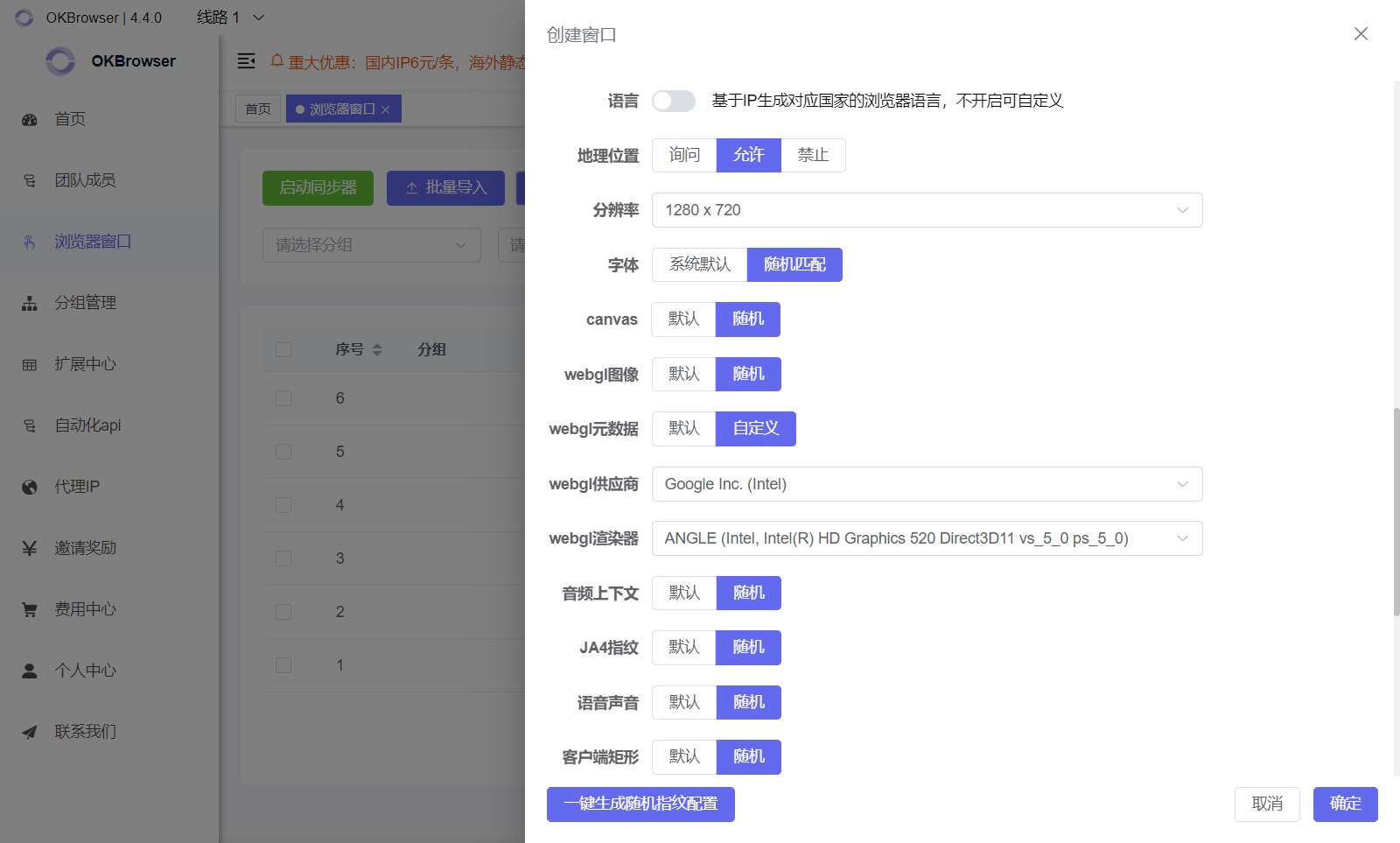
OKBrowser allows full control over browser fingerprints:
- Modify or randomize UA, timezone, fonts, and screen resolution
- Mask Canvas, WebGL, and Audio fingerprints
- Simulate different hardware and device environments
This ensures that every OKBrowser profile appears as a unique, real user.
🔄 Smart Kernel Matching
OKBrowser automatically selects the most compatible browser kernel for your UA version, ensuring both stealth and stability.
4. Who Should Use OKBrowser?
- 🌎 Cross-border eCommerce teams
- 📣 Social media and marketing professionals
- 🤖 Automation tool users (RPA / bots)
- 🔒 Privacy-conscious individuals
5. Conclusion: Total Privacy and Control with OKBrowser
Browser fingerprinting is unavoidable — but it doesn’t have to expose you.
With OKBrowser, every account runs in an isolated, secure environment with customizable fingerprints.
You stay undetectable, anonymous, and in control.
OKBrowser — Your trusted fingerprint browser for secure, anonymous, and efficient multi-account management.