
☁️ Use OKBrowser to properly utilize AWS new user benefits
—— Securely manage multiple AWS accounts and easily enjoy free cloud computing quota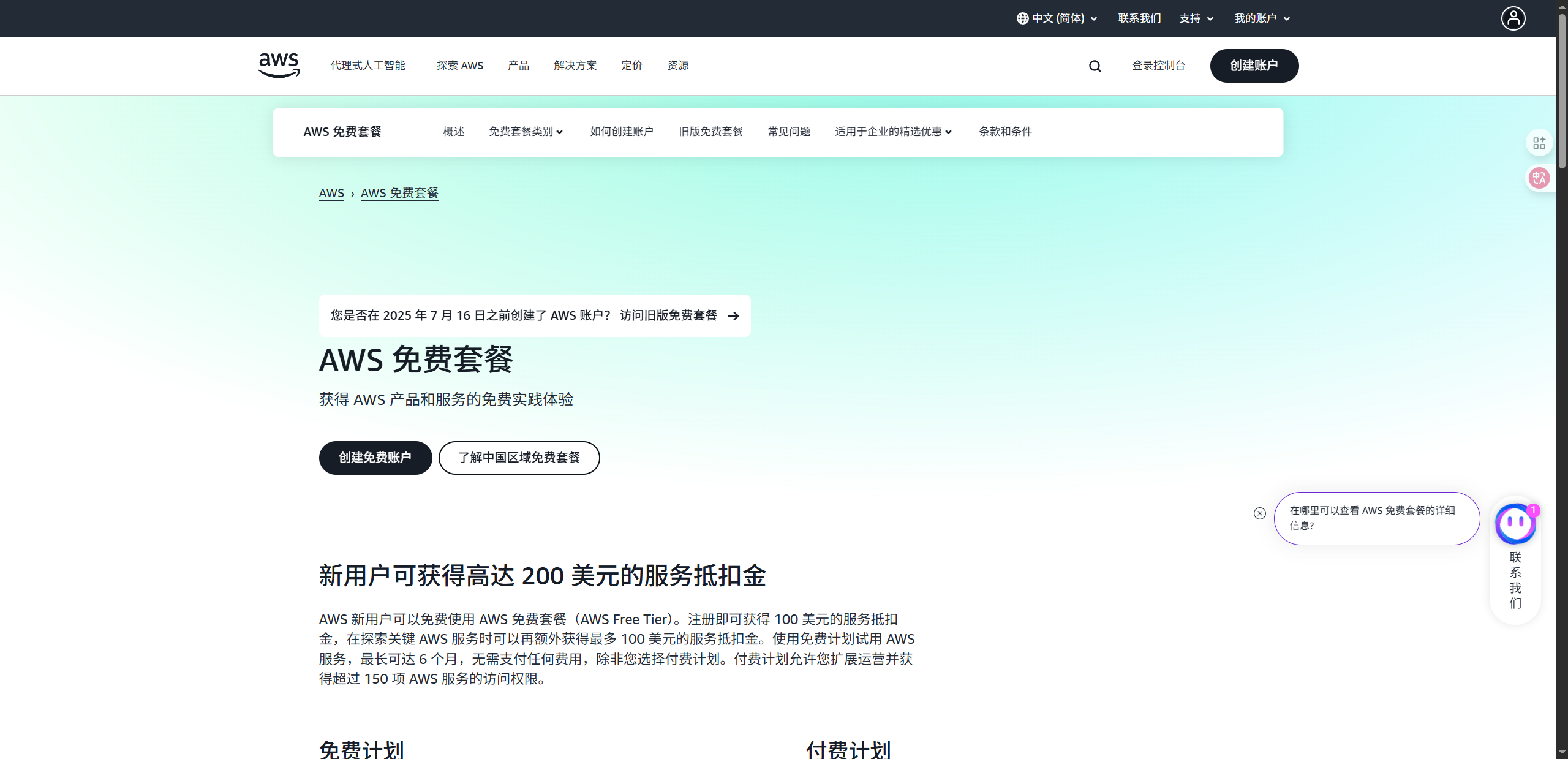
AWS (Amazon Web Services), as the world’s leading cloud computing service provider, provides every new user with an attractive free trial quota, including multiple core services such as EC2, S3, and RDS.
These resources are not only suitable for developers to test projects, deploy websites, and build application environments, but also help small and medium-sized teams save initial server costs.
However, AWS has a strict risk control mechanism for account registration and use.
If you try to register multiple accounts using the same device and the same browser environment, it is easy to be identified and blocked by the system.
At this time, OKBrowser fingerprint browser is your secret weapon –
It can help you achieve account environment isolation under the premise of compliance and security, so as to stably use AWS free resources.
🧠 Why are AWS new user benefits so popular?
AWS’s Free Tier includes many useful services:
- EC2 Free Cloud Hosting: 750 hours of t2.micro or t3.micro instance usage per month
- S3 Object Storage: 5GB of free storage space
- RDS Database Service: 750 hours of free usage
- CloudFront Content Delivery: 50GB of free bandwidth per month
For developers, this allows them to run a small website or application at almost zero cost.
For cross-border practitioners, marketing teams, and automation developers, AWS’s free quota can significantly reduce the cost of experimentation.
⚠️ AWS Multiple Account Registration Risk Control Issues
AWS’s registration system is very intelligent. It uses various methods to detect multiple accounts registered by the same user, including:
- IP Address and Location Matching
AWS tracks login and registration IP addresses to detect duplicate registrations in the same region. - Browser Fingerprinting
This includes parameters such as User-Agent, time zone, language, Canvas, WebGL, and fonts. - Cookies and Device Cache
If you switch between multiple AWS accounts in the same browser, the system will use cookies to identify them as the same user. - Credit Card and Identity Information
AWS requires a credit card to be linked during registration, and any unusual behavior may trigger verification.
Therefore, registering multiple AWS accounts directly on the same computer or in the same browser environment can easily lead to account suspension or limited free credit.
🧩 Use OKBrowser to achieve account isolation and secure registration
OKBrowser Fingerprint Browser is designed for multi-account operation and anti-association scenarios. It can help you create a completely independent and controllable virtual browsing environment, making each AWS account appear to be from a different device.
💡 How to use OKBrowser to register and manage multiple AWS accounts
Step 1: Create an independent browser environment
Click “New Profile” in OKBrowser, and the system will automatically generate a unique fingerprint (including resolution, time zone, font, hardware information, etc.).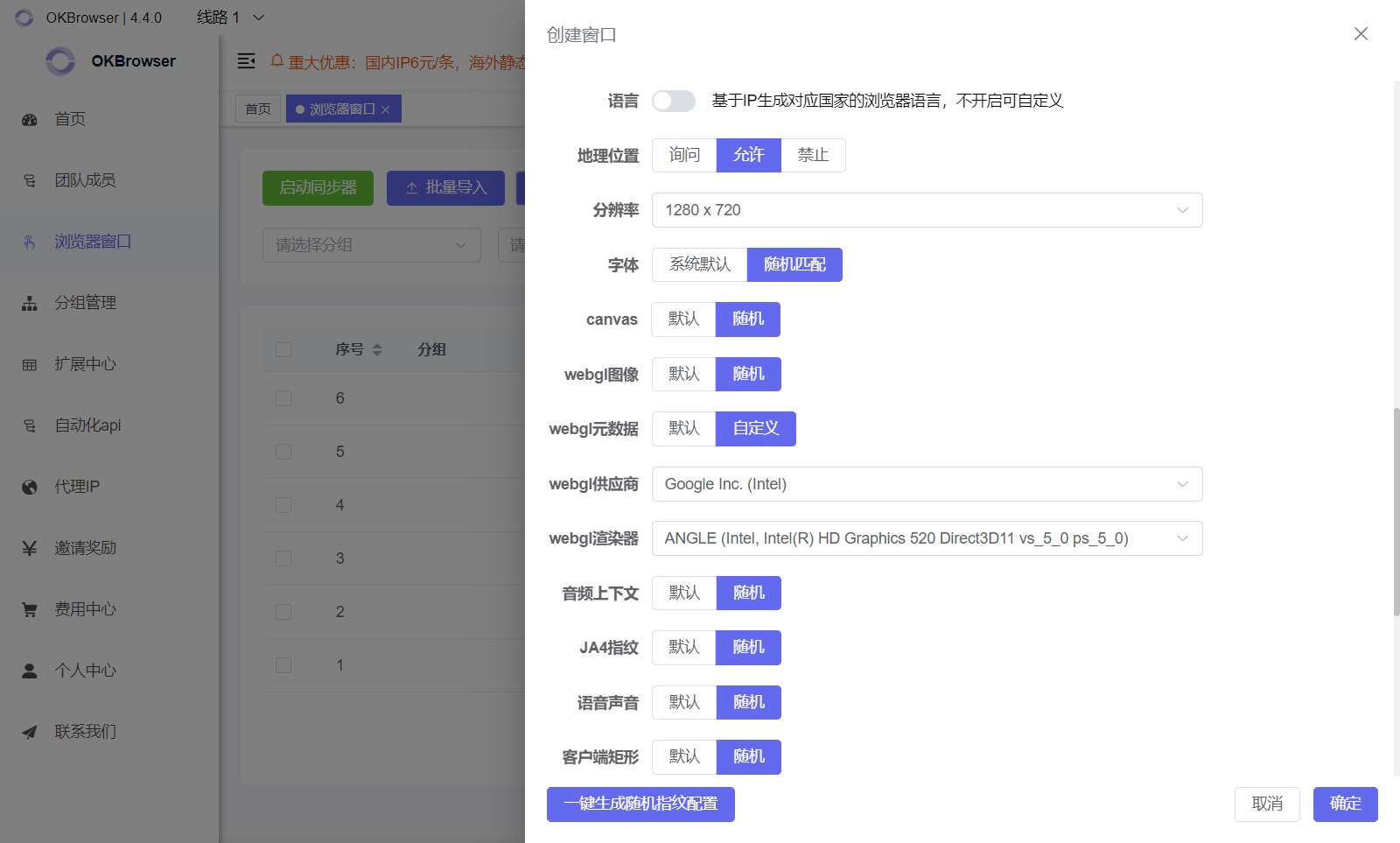
Step 2: Bind an independent proxy IP
Bind a new proxy IP to this profile (it is recommended to use a residential or mobile proxy) and ensure that the geographic location matches the registration information.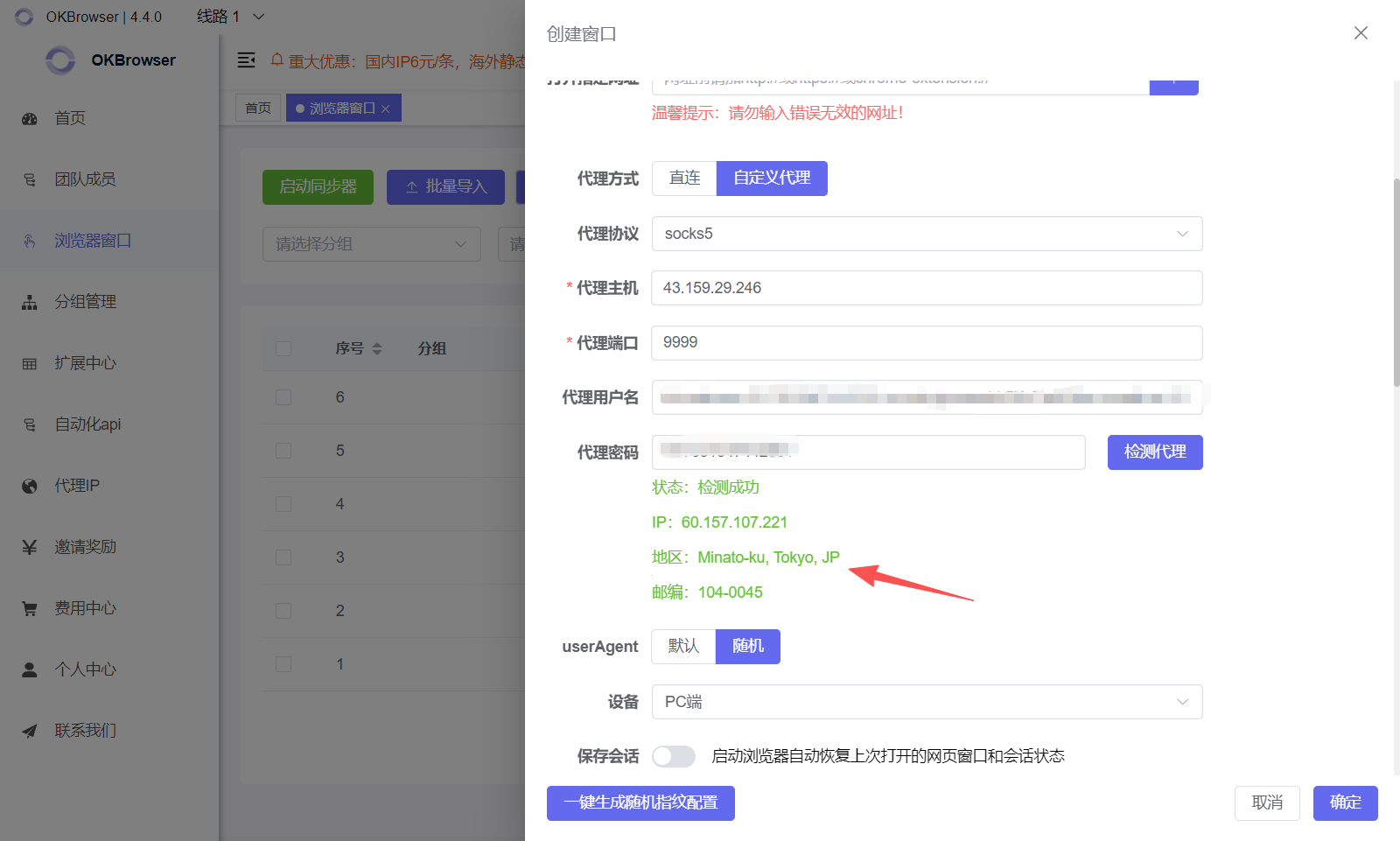
Step 3: Visit the AWS signup page
Open the AWS website and fill in your new email address, credit card information, and identity verification.
The entire process is completed in a separate browsing environment and will not create any technical connection with other accounts.
🔐 Advantages of Using OKBrowser
| Features | OKBrowser Advantages |
|---|---|
| Fingerprint Isolation | Isolated Environment, Real Device Fingerprint Disguise |
| Multi-Account Management | Switch Between Multiple AWS Accounts with One Click |
| Network Security | End-to-End Encryption, No Data Leakage |
| Convenient Operation | Intuitive Interface, Supports Automation Scripts |
| Cross-Platform Compatibility | Supports Windows, macOS, and Linux |
🚀 Summary: Use OKBrowser to Effectively and Efficiently Enjoy Free AWS Resources
AWS’s new user benefits are the best choice for getting started with cloud computing, but they also come with strict risk control mechanisms.
Using OKBrowser Fingerprint Browser, you can securely isolate environments and manage multiple AWS accounts, preventing detection as the same user and allowing you to effectively enjoy the free resources in each account.
OKBrowser is more than just an anti-detection tool; it’s also a powerful assistant for multi-account operations, cross-border business, and automated development.