
Gmail has become an essential tool in our daily work and life. Whether sending work emails, receiving personal messages, or registering for various services and apps, it is almost impossible to live without it.
As demands increase, many people find that a single Gmail account is no longer sufficient.
Managing multiple Gmail accounts has become common. This guide will show you how to securely and efficiently manage multiple Gmail accounts using OKBrowser, reducing the risk of bans and improving management efficiency.
Why Use Multiple Gmail Accounts?
- Separate Work and Personal Emails: Keep work and personal emails distinct for better focus and productivity.
- Different Projects or Business Needs: Create a separate Gmail account for each project or business to manage emails and data efficiently.
- Privacy Protection: Distribute sensitive information across multiple accounts to reduce risk.
- Temporary Use: Use temporary accounts for service registration or events to avoid spam in your main account.
How Many Gmail Accounts Can You Have?
Gmail does not restrict the number of accounts a user can create.
Practical considerations:
- Each phone number can typically verify up to 4 Gmail accounts
- More accounts require different phone numbers for verification
Traditional Management Methods
1. Manual Account Switching
Click your profile icon → “Switch account” in Gmail.
Pros: Simple, no extra tools required
Cons: Low efficiency, accounts not fully isolated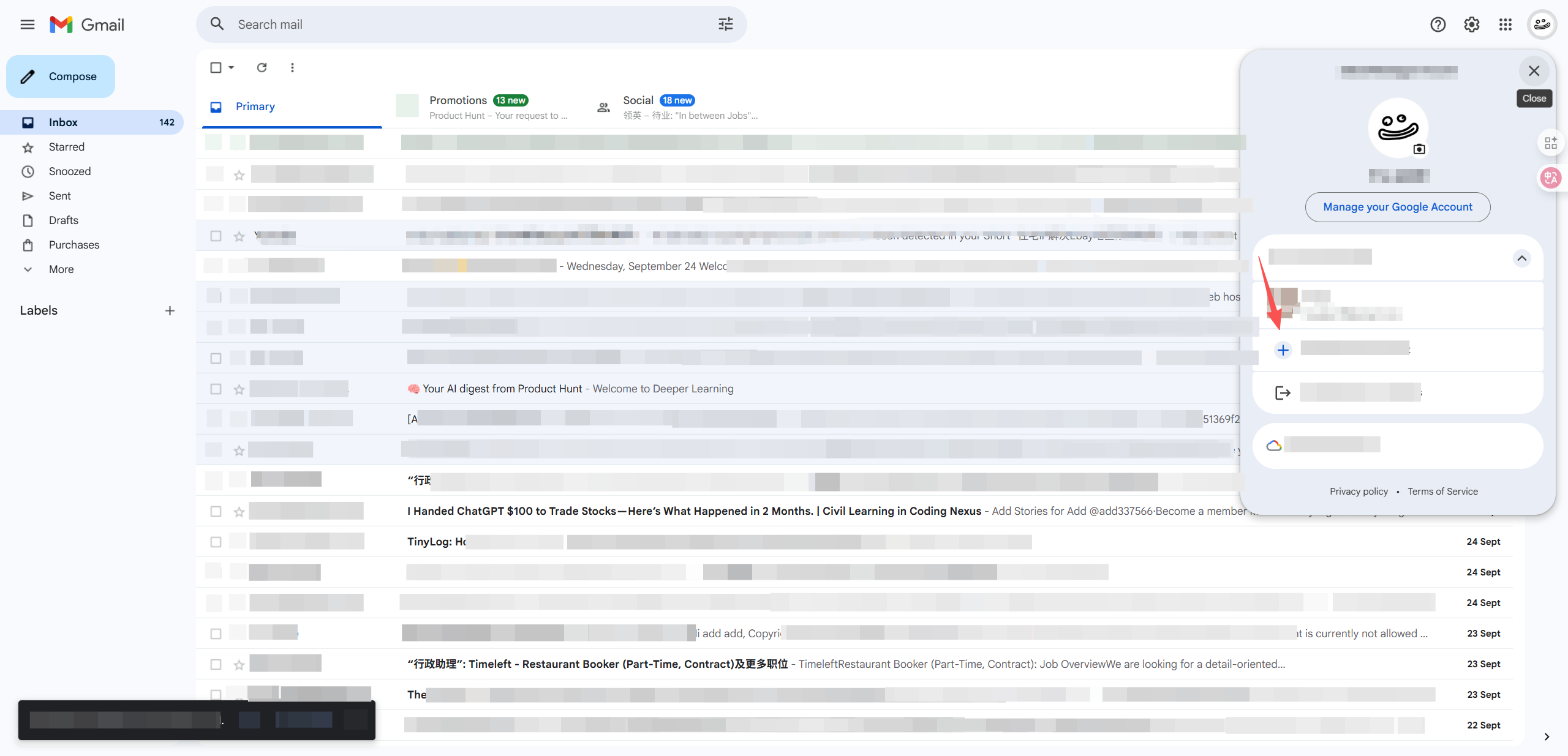
2. Merge Accounts
Login to main account → Settings → Accounts and Import → Add another email.
Pros: Convenient centralized management
Cons: Increased privacy risk due to shared interface
Risks of Managing Multiple Gmail Accounts
The biggest risk is account suspension.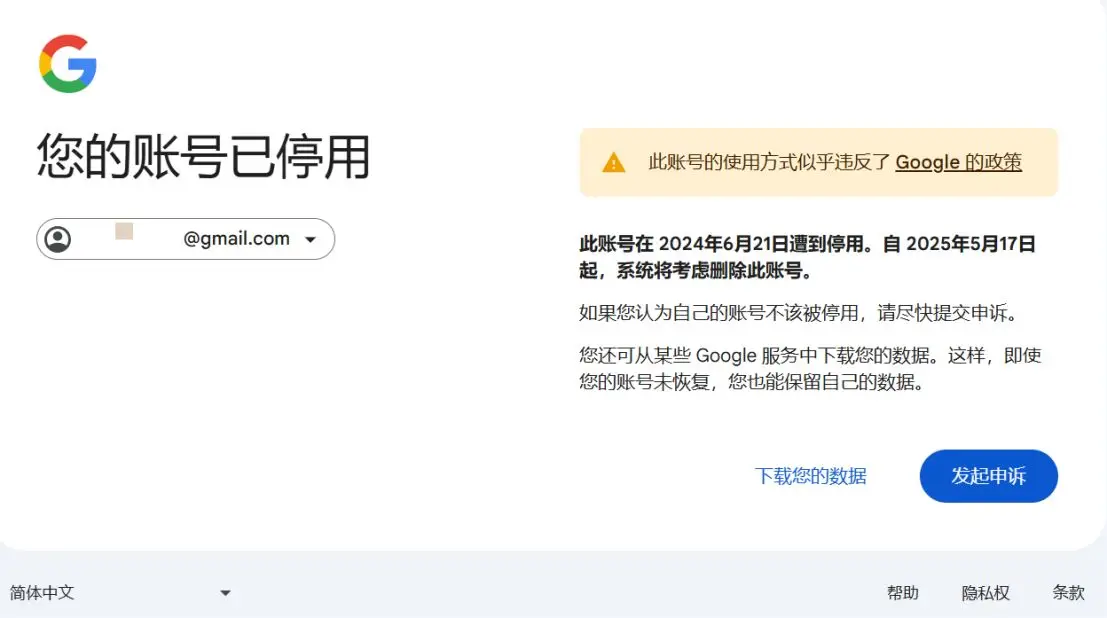
Common causes include:
- Violating Terms of Service: Spamming or abusing services
- Frequent Account Creation: Creating many unverified accounts in a short period
- User Reports: Reported accounts may be investigated
Additionally, Google can link accounts through device fingerprints, such as IP address, OS, and location. If one account is flagged, others may also be affected.
How to Safely Manage Multiple Gmail Accounts
1. Create Independent Profiles with OKBrowser
OKBrowser is designed for multi-account management, creating separate environments for each account:
- Independent cache, cookies, and login information
- Personalized profiles with unique names and theme colors
- Targeted extensions for improved efficiency
2. Use an Anti-Detect Browser
With OKBrowser, each Gmail account gets a separate fingerprint and browsing environment, mimicking different devices. Google will find it much harder to track and link your accounts.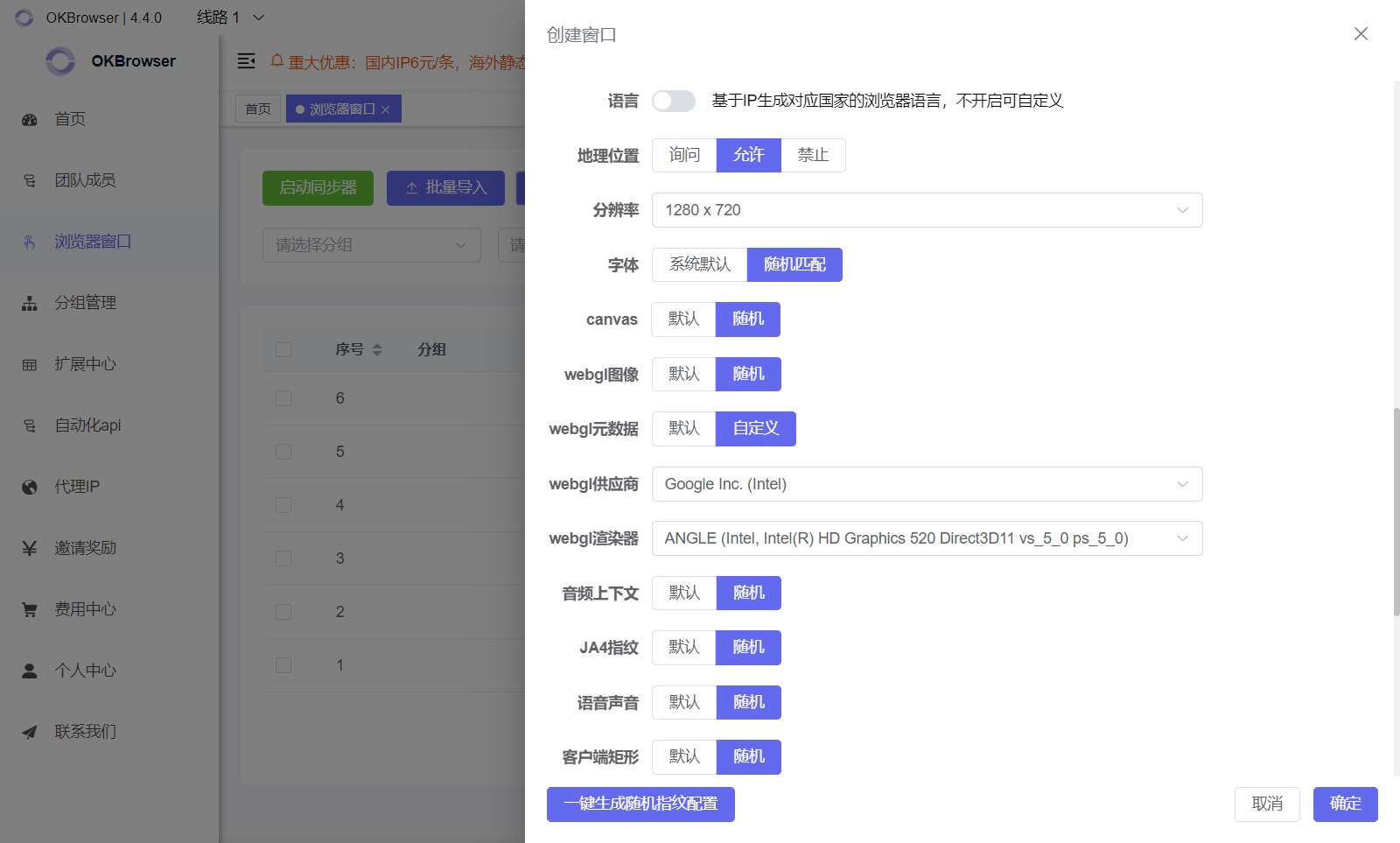
3. Check Browser Fingerprints
Use built-in or third-party tools in OKBrowser to verify that your fingerprints are properly masked for maximum security.
Conclusion
Whether for privacy, separating work and life, or managing multiple projects, OKBrowser provides a secure and efficient solution for managing multiple Gmail accounts.
Proper planning and the right tools reduce the risk of account bans and lay a solid foundation for future multi-account needs.